
Our Collections













Smart Home Devices
-

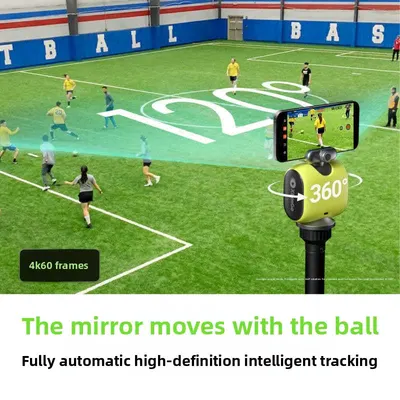
AI Tracking Gimbal Camera with 3-Axis Stabilization
Regular price From $50.61Regular priceSale priceFrom $50.61 -
 Sale
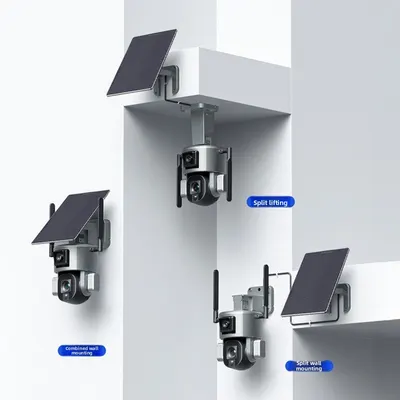
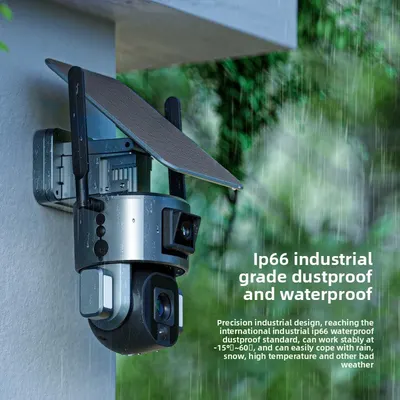
SaleSolar Powered Dual Lens PTZ Camera with WiFi and 8MP Clarity
Regular price From $350.57Regular priceSale priceFrom $350.57 -
 Sale
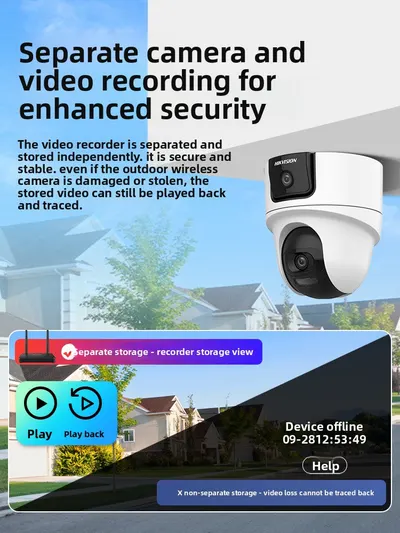
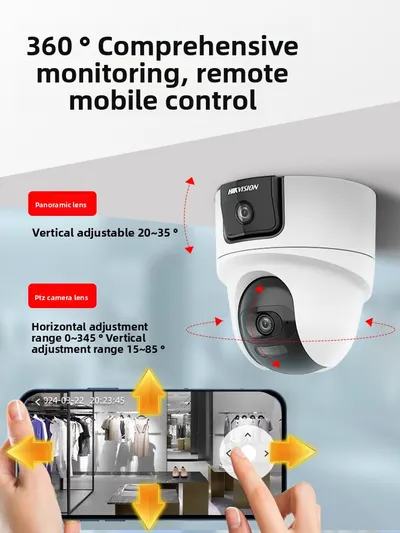
SaleSecurity Camera System with Dual Lens and 360-Degree Rotation
Regular price From $165.32Regular priceSale priceFrom $165.32 -
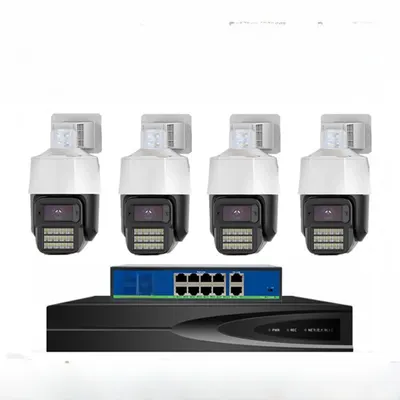
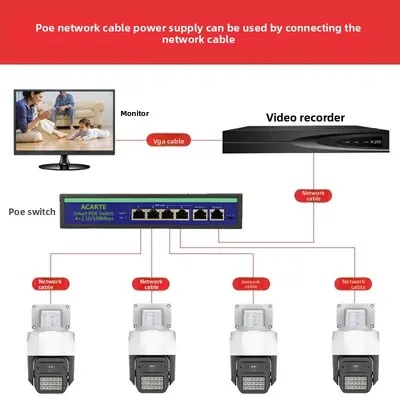 Sale
Sale5MP POE Security Cameras with 360-Degree View and AI Detection
Regular price From $126.35Regular priceSale priceFrom $126.35 -
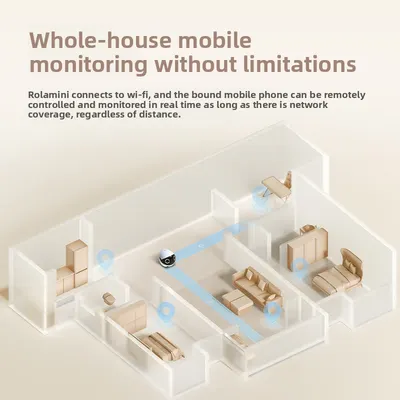
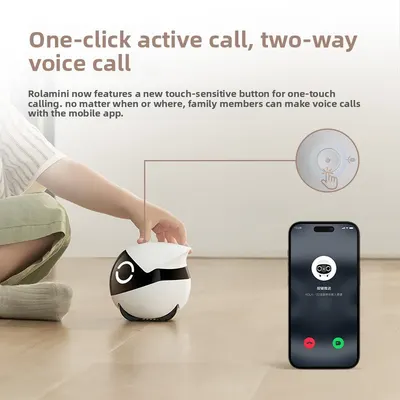 Sale
SaleRemote-Controlled Wireless Monitoring Camera with 2K HD and 360-Degree View
Regular price $898.96Regular price$1,313.53Sale price$898.96 -

 Sale
SaleSolenoid Valve Controller with Intelligent Timer for Irrigation
Regular price From $110.06Regular priceSale priceFrom $110.06 -
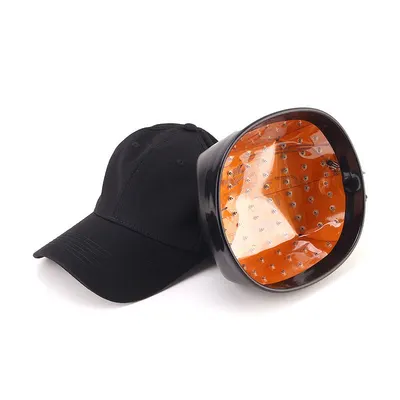

Infrared Laser Hair Growth Cap with Blue Light Therapy
Regular price From $66.29Regular priceSale priceFrom $66.29 -

 Sale
SaleHolographic Projection Lamp Suspension Imaging 3D Visual Display
Regular price From $64.47Regular priceSale priceFrom $64.47
No products match these filters. Remove all
Smart home devices at Global Swanky make your home more convenient, comfortable and secure: WiFi security cameras, solar-powered outdoor cameras, video doorbells, smart bulbs and LED light strips, smart plugs and switches, smart remote controls, motion-sensor lights and curtain motors you can control from your phone. Prices start at $19.50.
Key Takeaways
- Our smart home devices collection lists 1,171 products, starting from $19.50 as of October 10, 2026.
- It includes 308 security cameras (indoor, outdoor and video surveillance), 171 LED light strips, 110 smart bulbs, 81 smart remotes and 38 smart switches.
- The median starting price is $31.98, and 743 devices start under $40.
- The U.S. Department of Justice advises resetting default passwords on connected devices immediately and keeping firmware up to date.
- Check whether each device uses WiFi, Bluetooth or Zigbee, and whether it works with your phone and voice assistant.
On this page
- What Are Smart Home Devices?
- What's in Our Smart Home Devices Collection?
- Smart Security
- Smart Lighting
- Smart Plugs, Switches and Remotes
- Smart Curtains and Blinds
- Securing Your Smart Home
- Choosing Compatible Devices
- How to Choose Smart Home Devices
- Caring for Smart Devices
- How Much Do Smart Home Devices Cost?
- Shipping, Returns and Support
- Smart Home Devices FAQs
- Find the Right Smart Home Devices
What Are Smart Home Devices?
Smart home devices connect to your WiFi or phone so you can control lighting, security and appliances from an app, a remote or your voice. Smart home devices can switch lights on at sunset, alert you when someone's at the door, and let you check on your home while you're away.
Convenience
Control lights and plugs from your phone or set schedules that run automatically.
Security
Cameras and video doorbells let you see who's at your door from anywhere.
Energy saving
Timers and remote control help you switch off lights and devices you're not using.
What's in Our Smart Home Devices Collection?
The collection lists 1,171 products as of October 10, 2026.
| Category | Products | Example and price (USD) |
|---|---|---|
| Automation kits | 432 | Smart home gadgets and accessories |
| Video surveillance | 180 | Binocular Splicing Wireless WiFi Surveillance Camera with Night Vision ($53.00) |
| LED light strips | 171 | Motion Sensor LED Under Cabinet Light Strip with Magnetic Mount ($26.25) |
| Smart bulbs | 110 | Bluetooth WiFi Smart LED Bulb, RGB Color Music Sync ($22.79) |
| Smart remote controls | 81 | Universal and app-controlled remotes |
| Indoor security cameras | 71 | WiFi Surveillance Camera 1080P with Night Vision for Indoor Security ($35.80) |
| Outdoor security cameras | 57 | Solar Powered Security Camera with 4MP HD, WiFi, Pan/Tilt ($67.50) |
| Smart switches | 38 | Smart Remote Control Socket with Energy Saving ($26.22) |
| Wireless security kits | 12 | Multi-camera kits |
Counts come from product types on October 10, 2026. For phones and wearables, browse our mobile devices collection.
Smart Security
Indoor cameras
WiFi cameras with night vision and two-way audio let you check on your home and pets from your phone.
Outdoor and solar cameras
Weatherproof cameras watch driveways and gardens, and solar panels keep battery models charged.
Video doorbells
See, hear and speak to visitors from anywhere, with motion alerts sent to your phone.
Respect privacy
Point cameras at your own property, and check local laws on recording audio and video.
Smart Lighting
Smart bulbs
Change brightness and color from an app, and set schedules or scenes.
LED light strips
Add color behind TVs, under cabinets and around desks.
Motion-sensor lights
Lights switch on automatically in hallways, closets and under cabinets.
Smart Plugs, Switches and Remotes
Smart plugs and sockets
Turn lamps, fans and appliances on and off from your phone, and some track energy use.
Smart switches
Wall switches with app or remote control replace standard light switches. Have a qualified electrician install hardwired switches.
Smart remotes
Universal remotes control TVs, air conditioners and more from one device or app.
Smart Curtains and Blinds
Motorized curtain and blind controllers open and close on a schedule or at the tap of a button.
Securing Your Smart Home
The U.S. Department of Justice advises immediately resetting any default passwords on internet-connected devices, using strong passwords, keeping firmware updated, and considering a separate home network for connected devices.
Change default passwords
Set a unique password for each device and app during setup.
Update firmware
Install updates from the device app when they're available.
Use a separate network
A guest network for smart devices keeps them apart from your computers and phones.
Review app permissions
Only allow the access each app needs.
Choosing Compatible Devices
| Connection | What it means | Good for |
|---|---|---|
| WiFi | Connects directly to your router | Cameras, plugs, bulbs |
| Bluetooth | Connects to your phone nearby | Simple lights and speakers |
| Zigbee | Low-power mesh, needs a hub | Sensors and larger setups |
| 4G | Uses a SIM card instead of WiFi | Remote cameras without WiFi |
Check app and voice assistant support
Look for the app each device uses and whether it works with the voice assistant you already have.
WiFi band
Many smart devices only connect to 2.4GHz WiFi, so check your router settings.
How to Choose Smart Home Devices
- Decide what you want to automate: lighting, security or appliances.
- Check connection type and WiFi band.
- Confirm app and voice assistant compatibility.
- Choose power: plug-in, battery or solar.
- Check storage options for cameras: cloud or memory card.
- Read security and privacy features.
- Check plug type and voltage for plug-in devices.
Caring for Smart Devices
- Keep firmware updated through the device app.
- Clean camera lenses for clear images.
- Wipe solar panels to keep batteries charged.
- Check batteries in doorbells and sensors regularly.
- Restart devices if they lose connection.
How Much Do Smart Home Devices Cost?
Prices start at $19.50, and the median starting price is $31.98. About 274 devices start under $25, 469 start between $25 and $40, 301 start between $40 and $80, and 127 start at $80 or more, including multi-camera kits.
Standard US shipping is free on every order.
Shipping, Returns and Support
We ship electronics to US addresses only, and standard shipping is free. Most orders arrive within 6 to 32 business days, and you can track your order once it ships.
Returns are accepted within 30 days of delivery if the item is new, unused and in its original packaging, with no restocking fee. Read the full terms in our return policy, and contact our support team if your order arrives damaged.
Smart Home Devices FAQs
Do smart home devices need WiFi?
Most cameras, plugs and bulbs use WiFi, often on the 2.4GHz band. Some use Bluetooth, Zigbee with a hub, or 4G with a SIM card. Check each listing for the connection type.
Will these devices work with my voice assistant?
Many smart home devices work with popular voice assistants through their companion app. Check each listing for the supported assistants and app name before buying, and set the device up in its own app first, then link it to your assistant.
How do I keep my smart home secure?
Change default passwords during setup, use a strong, unique password for each device, turn on two-factor authentication where offered, and keep firmware updated. A separate guest network for smart devices adds another layer of protection.
Do security cameras need a subscription?
Not always. Some cameras store video on a memory card, while others offer optional cloud storage plans for longer history and extra features. Check each listing for storage options and any ongoing costs before you buy.
Can I install a video doorbell myself?
Battery-powered video doorbells are usually easy to install with the screws or adhesive mounts supplied. Wired doorbells connect to existing doorbell wiring, and if you're unsure about electrics, ask a qualified electrician to help.
Do solar cameras work in winter?
Solar cameras charge more slowly on short, cloudy winter days. Place the panel where it gets the most direct sun, keep it clean of snow and dirt, and check the battery level in the app during long stretches of bad weather.
Are smart plugs safe?
Choose US-plug smart plugs rated for your appliance's wattage, and avoid using them with high-power heaters or kitchen appliances unless the listing says they're suitable. Don't overload outlets or plug smart plugs into power strips.
Is it legal to record audio on cameras?
Laws on recording audio vary by state, and some require everyone's consent. Point cameras at your own property, avoid recording neighbors' private spaces, and check local laws before turning on audio recording.
What smart home devices should I start with?
Smart plugs and smart bulbs are affordable, easy starting points because they need no wiring. Add a WiFi camera or video doorbell next for security, then expand to switches, sensors and curtain motors as your setup grows.
Why won't my device connect to WiFi?
Many smart devices only work on 2.4GHz WiFi, so make sure your phone is on that band during setup. Move the device closer to your router, check the password, and restart both the device and router if it still won't connect.
How long does shipping take?
Most orders arrive within 6 to 32 business days of being placed. That covers 1 to 2 business days of handling and 5 to 30 business days in transit. Standard shipping is free on every order, and we currently ship to US addresses only.
Can I return a smart device?
Yes, within 30 days of delivery, if the item is new, unused and in its original packaging. Email support@globalswanky.com with your order number, the product name and the reason for the return, then wait for return instructions. There's no restocking fee.
Find the Right Smart Home Devices
Choosing smart home devices comes down to three checks: what you want to automate, compatible connections and apps, and good security habits. A smart plug, a smart bulb and a WiFi camera make an easy start.
Ready to choose? Scroll up to the product grid, or browse our charging accessories and audio devices collections.
- Choosing a selection results in a full page refresh.
- Opens in a new window.

Global Swanky
1 × $0.00 · Free US shipping
$0.00
- 1 Payment
- 2 Shipping
- 3 Done
Checkout is temporarily unavailable.
Please try again in a moment, or email support@globalswanky.com and we will help you order.
Secured by Stripe. Card details go straight to Stripe, never to our servers.
Order confirmed
Thank you. A confirmation is on its way to .
- Order number
- Total paid
- Paid with
- Delivery
- Dispatched within 24 hours, 3–7 business days