
Our Collections








Office Electronics
-

 Sale
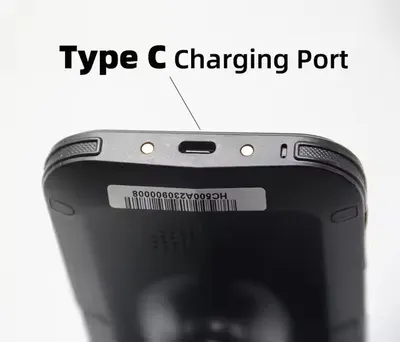
SaleUHF RFID Reader with Android 11/13 for Fast Inventory Control
Regular price $698.61Regular price$1,397.22Sale price$698.61
No products match these filters. Remove all
Office electronics at Global Swanky include thermal label and receipt printers, document and barcode scanners, compatible ink and toner, translation pens, 3D printing pens, 3D printer parts and a paper shredder. Prices start at $10.51, and US shipping is free.
Key Takeaways
- Our office electronics collection lists 58 products, priced from $10.51 to $698.61 as of October 5, 2026.
- The range covers 6 printers, 9 ink, toner and drum supplies, 7 scanners, 13 3D printing pens and refills, and 10 3D printer parts.
- Thermal printers for receipts, barcodes and 4x6 shipping labels print with heat instead of ink.
- The FTC says using an aftermarket or recycled part does not void your warranty under the Magnuson-Moss Warranty Act.
- The median starting price is $30.68, and 44 of 58 listings start under $50.
On this page
- What Are Office Electronics?
- What's in Our Office Electronics Collection?
- Printers
- How Thermal Printing Works
- Ink, Toner and Drums
- Does Compatible Ink Void Your Printer Warranty?
- Scanners
- Going Paperless With Office Electronics
- How Barcode Scanners Work
- Smart Pens for Reading and Translation
- Styluses and Writing Pens
- 3D Printing Pens
- 3D Printer Parts and Filament
- Mobile Printing From Phones and Tablets
- Inkjet, Laser and Thermal Printers Compared
- Understanding Printing Costs
- A Starter Kit for Online Sellers
- Paper and Label Storage
- Paper Shredder and Document Security
- USB Smart Card Reader
- Office Electronics for Schools and Students
- Office Electronics for Warehouses and Inventory
- Our Most Affordable Office Electronics
- How to Choose Office Electronics
- Office Electronics for a Home Office
- Office Electronics for Small Businesses and Shops
- Shipping Labels for Online Sellers
- Starting Your First 3D Pen Project
- Troubleshooting Office Electronics
- Setting Up an Efficient Workspace
- Office Electronics Glossary
- Caring for Office Electronics
- When to Upgrade Office Electronics
- Energy and Cable Tips
- Choosing Scanner Resolution
- Setting Up a Thermal Label Printer
- Remote Work Essentials
- Recycling Ink, Toner and Old Devices
- Office Electronics as Gifts
- Questions to Ask Before You Buy
- How Much Do Office Electronics Cost?
- Common Mistakes When Buying Office Electronics
- Shipping, Returns and Support
- Why Shop Office Electronics at Global Swanky?
- Office Electronics FAQs
- Find the Right Office Electronics for You
What Are Office Electronics?
Office electronics are the electronic devices and supplies that help people work: printers, scanners, shredders, label makers, smart pens and the consumables that keep them running. They're used in corporate offices, home offices, schools, shops and warehouses.
Retailers such as Staples, Costco and Best Buy group computers, printers, scanners, shredders, phones and projectors under the same heading. In practice, office electronics are anything with a plug or battery that helps you print, scan, file, label or communicate.
Our collection focuses on printing, scanning and making. It covers everyday office printing supplies, thermal printers for small businesses and online sellers, scanners from handheld to RFID, and creative tools like 3D printing pens.
Common types of office electronics
Most office electronics fall into these groups:
- Printers: inkjet, laser and thermal printers for documents, receipts and labels.
- Printing supplies: ink cartridges, toner, drums and paper.
- Scanners: document, photo, film, barcode and RFID scanners.
- Shredders: for safe disposal of sensitive papers.
- Smart pens and styluses: for translation, reading and touchscreen use.
- Communication devices: phones, conferencing gear and webcams.
- Making tools: 3D printers, 3D printing pens and their parts.
What's in Our Office Electronics Collection?
The collection lists 58 products, and every one showed as available when we updated this page on October 5, 2026. Prices run from $10.51 to $698.61, with a median starting price of $30.68.
Here's how the range breaks down.
| Group | Products | Starting prices (USD) | Examples |
|---|---|---|---|
| Printers | 6 | $12.82 to $126.32 | Thermal receipt, label, barcode, 4x6 shipping and mini photo printers |
| Ink, toner and drums | 9 | $10.54 to $99.33 | Compatible HP, Epson and Brother cartridges, toner, drum unit, UV ink |
| Scanners | 7 | $30.70 to $698.61 | Handheld, A4/A3 document, film, barcode, wrist and UHF RFID scanners |
| 3D printing pens and refills | 13 | $10.51 to $69.96 | Kids', low-temperature and LCD 3D pens, PLA and ABS refills |
| 3D printer parts and filament | 10 | $14.89 to $93.87 | PLA filament, hot beds, auto-leveling sensors, motherboard |
| Smart pens | 3 | $30.68 to $78.36 | Translation, scanning and touch-and-talk pens |
| Styluses and writing pens | 3 | $20.77 to $22.92 | Capacitive styluses and a gravity pen |
| Shredder and card reader | 2 | $11.33 to $43.00 | A4 strip-cut shredder, USB smart card reader |
| Other | 5 | $10.80 to $57.57 | Engraving pen, tracing board, rice paper, car scanner, model lamp |
Groups come from product titles and descriptions on October 5, 2026. Of 58 listings, 15 start under $20, 29 between $20 and $50, 9 between $50 and $100, and 5 at $100 or more.
Printers
Our six printers are office electronics built for specific jobs rather than general document printing. Browse more models in our printers collection. Most are thermal printers, which suit receipts, barcodes and shipping labels.
Thermal receipt printers
The POS-5890T Thermal Printer Supermarket USB Ticket Printer costs $56.75. It connects by USB and prints receipts, invoices and tickets for shops and service counters.
The Portable Bluetooth Printer costs $58.70. Its listing describes 58mm receipt printing over Bluetooth, which suits mobile billing, market stalls and delivery drivers.
Shipping label printers
The Direct Thermal 4x6 Printer for Shipping and Packing Labels costs $110.51 to $118.58. Four by six inches is a common shipping label size, so this type of printer suits online sellers who print courier labels every day.
Barcode and label printers
The Thermal Barcode Printer for Fast Clothing Face Sheet Printing costs $126.32 to $140.40 and offers USB or USB and Bluetooth versions. The Bluetooth Thermal Label Printer listing runs from $19.47 to $74.05 across label stock and TDL402 printer variants.
Mini photo and note printers
The Paperang Mini Mobile Photo Printer costs $12.82 to $61.92, including thermal paper refills. Its listing describes inkless Bluetooth printing for notes, labels, study aids and small photos.
Check plug type before you buy
Several printer listings include AU, EU and UK plug variants. Choose the US version, since we ship to US addresses only.
How Thermal Printing Works
Thermal printers are some of the most practical office electronics for small businesses and online sellers. A direct thermal printer uses a heated print head to darken special heat-sensitive paper, so it needs no ink, toner or ribbon.
That makes thermal printers cheap to run and quick to print. The only ongoing cost is the paper or labels.
The trade-off is longevity. Direct thermal prints can fade over time with heat, light and friction, so they suit receipts and shipping labels rather than documents you need to keep for years.
Choosing thermal paper and labels
Match the paper width to your printer, such as 58mm for small receipt printers or 4x6 inches for shipping label printers. Store paper away from heat and sunlight, which can darken it before use.
Ink, Toner and Drums
Printing supplies are the office electronics consumables most offices buy most often. Our ink supplies collection and printer supplies collection carry more options. Our range covers compatible cartridges for popular printers, toner and drum units, and specialty inks.
Compatible inkjet cartridges
The HP 301 301XL Compatible Ink Cartridges for Deskjet and Officejet cost $21.27 to $36.84. The Epson T299XL Ink Cartridges Compatible Set costs $17.00, and the LC669BK LC665 663 Ink Cartridge set for Brother printers costs $10.54 to $10.68.
Ink refills
The Inkjet Printer Ink costs $13.99 in GT51 black and GT52 blue, magenta and yellow, which suit refillable ink tank printers. The UV Printer Ink costs $37.00 and is listed for compatible Epson XP600 and TX800 print heads used in UV printing.
Toner and drum units
Laser printers use toner powder and an imaging drum instead of ink. The Dedicated Toner Cartridge TN760 costs $26.75, and the HP 202A Drum Unit Compatible for HP Color LaserJet Printers costs $29.18.
For copiers, the toner and drum set listing offers TN713 toner, drum kits and development units from $99.33 to $237.99.
Find your cartridge number
Every printer uses specific cartridge numbers, such as 301 or 301XL. Check the number on your old cartridge, inside the printer lid or in the manual, and match it exactly before ordering.
"XL" cartridges hold more ink and print more pages than standard sizes, so they often cost less per page.
Does Compatible Ink Void Your Printer Warranty?
Many shoppers worry that non-brand ink will cancel their printer warranty. The FTC says using an aftermarket or recycled part does not void your warranty, and that the Magnuson-Moss Warranty Act makes it illegal for companies to void a warranty or deny coverage simply because you used one (FTC, Magnuson-Moss Warranty Act Interpretations).
That said, a manufacturer can still decline to cover damage that a faulty third-party part actually causes. Buy compatible office electronics supplies that match your printer's cartridge number, and follow the installation instructions.
Some printers show a "non-genuine cartridge" message or stop displaying ink levels with compatible cartridges. Firmware updates can also affect compatibility, so check your printer's settings if a new cartridge isn't recognized.
Scanners
Scanners turn paper, film and barcodes into digital data. Our seven scanners range from a pocket document scanner to a professional UHF RFID reader, and our scanners collection has more.
Handheld document scanner
The Portable Handheld Scanner for Office Documents costs $72.93. Its listing describes 900DPI resolution and a portable design for scanning documents, receipts and book pages on the go.
Overhead document scanner with OCR
The HD Scanner for Clear Document Scanning with OCR and A3 Support costs $63.27 to $196.08. Variants range from 11 to 16 megapixels, and its listing describes text recognition (OCR), which turns scanned pages into editable text.
Overhead scanners suit books, bound documents and quick multi-page scanning, since you don't need to feed pages through rollers.
Film and photo scanner
The Film Scanner for Photos, Negatives and Slides to Digital Files costs $135.11. It converts old negatives and slides into digital images, a simple way to preserve family photos.
Barcode and QR scanners
The QR Scanner Wireless Handheld Barcode Reader for POS costs $49.09 for USB and $79.27 for 2.4GHz wireless plus USB. The Portable Wrist Barcode Scanner for Hands-Free Data Collection costs $115.96 to $163.14 and suits warehouse picking and deliveries.
A third barcode scanner is listed for Alipay and WeChat Pay, which are payment apps mainly used in China. US shops should choose a general-purpose scanner instead.
UHF RFID reader
The UHF RFID Reader with Android 11/13 for Fast Inventory Control costs $698.61, the most expensive item in the collection. Its listing names the Impinj E710 reader chip and describes long-range asset tracking for warehouses, retailers and logistics teams.
RFID readers detect tags by radio rather than line of sight, so they can count many tagged items quickly.
Going Paperless With Office Electronics
Scanners are the starting point for a paperless office. Turning paper into searchable files saves space, speeds up searches and makes backups easy.
A simple routine keeps the habit going:
- Scan bills, receipts and letters as they arrive.
- Use OCR so you can search scanned text later.
- Name files with the date and a short description.
- Store scans in folders by year and category.
- Back up scans to a second location, such as cloud storage.
- Shred the paper originals you no longer need.
Overhead scanners handle stacks of pages quickly, while handheld scanners suit receipts and single pages on the go. Pair either with a shredder, and your office electronics cover the whole document lifecycle.
Keeping scanned documents secure
Scanned files can contain the same sensitive details as the originals. Protect them with a strong password on your computer, and use encrypted cloud storage where possible.
Delete scans you no longer need, and be careful when emailing documents that contain account numbers or ID details.
How Barcode Scanners Work
Barcode scanners read the pattern of bars or squares on a label and send the result to a computer or point-of-sale system, as if it were typed. Most connect by USB, and wireless models use a small receiver or Bluetooth.
1D barcodes are the familiar lines on product packaging. 2D codes, such as QR codes, store more data in a square pattern and need a scanner that supports them.
Our QR Scanner Wireless Handheld Barcode Reader reads QR codes, and the wrist scanner is described as a two-dimensional scanner. Check that a scanner supports the code types your business uses before buying office electronics for checkout or stock control.
Smart Pens for Reading and Translation
Smart pens scan printed text and read it aloud, translate it or save it. They're useful office electronics for language learners, students and travelers.
The Translation Pen with Real-Time Scanning and WiFi Connectivity costs $78.36. The AI Intelligent Scanning Pen for Smart Reading and Offline Translation costs $47.13, and its listing describes offline translation, which works without an internet connection.
The Touch and Talk Pen for Interactive Reading and Learning costs $30.68 to $60.10, with Wi-Fi versions and a 1.97-inch screen. Some variants add question scanning for study.
Check which languages each pen supports before you buy, since language packs vary by model.
Using a smart pen well
Hold the pen at the angle shown in its manual and glide it steadily across one line of text at a time. Most smart pens read printed text best, so handwriting and stylized fonts may scan less accurately.
Keep the pen charged and update its software when updates are offered, since language support and accuracy can improve. For travel, download offline language packs before you leave, so translation works without Wi-Fi.
Styluses and Writing Pens
A stylus makes tablets and phones easier to use for notes, sketches and signatures. Our range includes the Touchscreen Capacitive Stylus Pen for Tablets and Smartphones ($20.77) and the Hooked Capacitor Pen, a dual-end stylus at $22.69.
The Gravity Pen for Smooth Writing, Drawing and Everyday Use costs $22.92 for traditional writing and drawing.
Capacitive styluses work with most touchscreens, but they don't offer the pressure sensitivity of active pens made for specific tablets.
3D Printing Pens
3D printing pens are the most popular items in our office electronics range, with 13 pens and refills; see more in our 3D pens collection. They melt plastic filament and extrude it through a heated nozzle, so you can draw in three dimensions.
Pens for kids and beginners
Kids' 3D pens include the 3D Printing Pen Set for Kids, Easy STEM Art Learning Toy ($26.62), the 3D Printing Pen for Kids DIY Art Crafts and Creative Projects ($28.05) and the 3D Printing Pen for Kids Creative Drawing and DIY Crafts ($36.34 to $61.95).
The Wireless Low Temperature 3D Printing Pen for Kids costs $23.73 to $31.55. Low-temperature pens use filament that melts at a lower heat, which reduces burn risk.
Pens with displays and temperature control
The 3D Printing Pen LCD Display and Adjustable Temperature Control costs $42.91. Adjustable temperature lets you switch between filament types, since PLA and ABS melt at different temperatures.
The 6th Generation 3D Printing Pen costs $34.32 to $40.47, and the 3D Printing Pen for 3D Painting, Graffiti and Creative Art costs $69.96.
Refills and filament
The Special ABS Consumables for 3D Printing Pen Refills Pack costs $10.52 to $26.94, and the PLA ABS 3D Printer Filament Consumables cost $39.91. Check that refills match your pen's filament diameter and type.
3D pen safety
3D pen nozzles get very hot during use. Supervise children at all times, use the pen on a heat-safe surface, and let the nozzle cool before putting it away.
PLA is generally easier to use and gives off less odor, while ABS needs higher temperatures and better ventilation. Work in a well-ventilated room with either material.
3D Printer Parts and Filament
If you own a 3D printer, our office electronics range includes parts and filament for upgrades and repairs, and our 3D printer accessories collection adds more.
Filament
The Multi-Color PLA 3D Printer Filament for DIY Model Prototyping costs $93.87; its listing describes a five-roll pack of 1.75mm PLA. The 3D Printing Filament Compatible With Anycubic Printers costs $28.38 to $135.68 depending on the pack.
1.75mm is the most common filament diameter, but confirm your printer's size before ordering.
Build plates and heating
The 3D Printer Accessories Prusa Mini Magnetic Hot Bed MK3S PEI costs $31.59 to $37.03. Its listing describes a removable magnetic sheet with a PEI coating for good adhesion and easy print removal.
The 3D Printer MK2A Hot Bed Aluminum Substrate Platform costs $17.29, and the 3D Printer Hot Bed Silicone Rubber Heating Pad costs $15.93.
Auto bed leveling sensors
Auto leveling sensors measure the print bed so the printer can compensate for small height differences. The 3D Printer Auto Bed Leveling Touch Sensor costs $32.30, and the BLTouch Auto Leveling Sensor Upgrade listing costs $16.08 to $60.45, including kits for Ender 3 and CR10 printers.
Motherboards and motors
The 3D Printer Mute Motherboard Accessories listing costs $48.51 and describes a V1.1.5 control board for quieter printing. The DIY 1.83D Printer I3 Motor Accessories Set costs $14.89.
Check firmware and connector compatibility carefully before replacing a printer's motherboard.
Mobile Printing From Phones and Tablets
Many modern office electronics print straight from a phone or tablet. Bluetooth printers pair with an app, so you can print receipts, labels or notes without a computer.
Our Portable Bluetooth Printer ($58.70) prints 58mm receipts over Bluetooth, and the Paperang Mini Mobile Photo Printer prints notes and small photos from a phone app. The Bluetooth Thermal Label Printer listing offers Bluetooth label printing too.
Before you buy, check that the printer's app supports your phone's operating system. Keep the app updated, and pair the printer in a quiet spot away from other Bluetooth devices for the first setup.
Inkjet, Laser and Thermal Printers Compared
Different printers suit different office electronics needs. This quick comparison helps you choose supplies and devices.
| Printer type | Uses | Supplies | Best for |
|---|---|---|---|
| Inkjet | Color documents and photos | Ink cartridges or ink tanks | Home offices and photo printing |
| Laser | Fast black or color text | Toner and drum units | Busy offices printing many pages |
| Direct thermal | Receipts, barcodes and shipping labels | Heat-sensitive paper or labels | Shops and online sellers |
| Mini thermal | Notes, stickers and small photos | Thermal paper rolls | Students and journaling |
Our range includes supplies for inkjet and laser printers, plus several thermal printers.
Understanding Printing Costs
The price of a printer is only part of the cost. Office electronics that print also need ink, toner, paper or labels, and those running costs add up.
To compare, divide the price of a cartridge by the number of pages it prints. XL cartridges and refillable ink tanks usually cost less per page than standard cartridges.
Thermal printers avoid ink altogether, so your only ongoing cost is paper or labels. For high-volume shipping labels, that can save a lot over a year.
Laser toner costs more upfront but prints many more pages than an inkjet cartridge, which suits offices that print text in volume.
A Starter Kit for Online Sellers
Selling online means printing, packing and shipping every day. A few office electronics make that routine much faster.
Start with a 4x6 thermal label printer for courier labels, so you never have to cut and tape paper labels again. Add a barcode scanner if you track stock by SKU, and a thermal barcode printer for product labels.
A mini thermal printer can print thank-you notes and small stickers for parcels. Keep labels, tape and packaging near the printer to create a simple packing station.
As orders grow, an overhead scanner helps you file invoices and receipts digitally for bookkeeping.
Paper and Label Storage
Paper and labels last longer when stored well. Keep them in their packaging, in a cool, dry place away from direct sunlight and heaters.
Thermal paper and labels are especially sensitive to heat and light, which can darken them before use. Store printer paper flat to stop curling, which can cause jams.
Buy supplies in amounts you'll use within a few months, so they stay fresh. Label each box with the date you bought it, and use older stock first.
If a roll of thermal labels has turned grey or patchy, test-print before using it for real shipments, since faded labels may not scan at the courier's depot. Keep a small reserve of each consumable, such as ink, labels and filament, so a busy week never stops because a supply ran out.
Paper Shredder and Document Security
Shredders are essential office electronics for protecting personal and business information at home and at work. The Small Electric A4 Paper Shredder with Strip Cut Desktop Design costs $43.00 and suits home offices, reception desks and small businesses.
Strip-cut shredders slice paper into long strips. Cross-cut and micro-cut shredders produce smaller pieces, which are harder to reassemble, so choose those for highly sensitive documents.
Shred bank statements, old bills, medical papers and anything with account numbers or your Social Security number. Keep the shredder away from children and pets, and switch it off when not in use.
USB Smart Card Reader
The DM-HC65 USB Smart Card Reader costs $11.33. Smart card readers let a computer read chip-based ID and access cards, which some workplaces use for secure sign-in.
Check that your organization's card type and software support the reader before you buy.
Office Electronics for Schools and Students
Students use office electronics for study as well as homework. A smart pen helps language learners read and translate text, and a stylus makes note-taking on a tablet easier.
A mini thermal printer prints study notes, labels and small photos for planners without ink. A handheld scanner saves class handouts and book pages as digital files.
3D printing pens bring art and STEM projects to life. Choose low-temperature models for younger children, and supervise their use. Our 3D pens for kids collection has more options.
Office Electronics for Warehouses and Inventory
Warehouses and stockrooms need office electronics that keep up with fast, repetitive work. Barcode scanners, label printers and RFID readers form the core of most inventory systems.
A handheld or wrist barcode scanner speeds up receiving, picking and stock counts. The Portable Wrist Barcode Scanner ($115.96 to $163.14) keeps both hands free for lifting and packing.
A thermal barcode printer creates product and shelf labels on demand. For large-volume counts, a UHF RFID reader reads many tagged items at once without line of sight.
Before buying, confirm that each device works with your inventory or point-of-sale software and the barcode types you use.
Our Most Affordable Office Electronics
You don't need a big budget to improve your workspace. Some of our lowest-priced office electronics solve everyday problems.
The LC663 ink cartridge set for Brother printers starts at $10.54, and the 3D Print Pen Two Generation Graffiti Painting Toy starts at $10.51. The DM-HC65 USB Smart Card Reader costs $11.33.
For printing on the go, the Paperang Mini Mobile Photo Printer listing starts at $12.82, and the Epson T299XL compatible set costs $17.00. These are easy ways to try new office electronics without a large outlay.
How to Choose Office Electronics
Use these steps to choose office electronics that fit the way you work:
- List the tasks you need to do: printing, labeling, scanning, shredding or making.
- Estimate how often you'll do each task, daily or occasionally.
- Check compatibility, such as cartridge numbers, paper sizes or filament type.
- Decide on connectivity: USB, Bluetooth or Wi-Fi.
- Compare running costs, including ink, toner, labels or filament.
- Choose the US plug version where variants differ.
- Check the listing's dimensions against your desk space.
Office Electronics for a Home Office
A home office needs fewer devices, but each one should earn its place. Start with the tasks you do every week.
A compatible ink supply keeps your existing printer running for less. A handheld or overhead scanner turns receipts and paperwork into searchable files, and a small shredder disposes of the originals safely.
If you sell online from home, a 4x6 thermal label printer saves time on every parcel. Add a stylus if you take notes or sign documents on a tablet.
Keep cables tidy and devices on a stable surface, and leave space around printers and shredders for ventilation.
Office Electronics for Small Businesses and Shops
Retail counters, cafes and market stalls rely on a few dependable office electronics. A receipt printer, a barcode scanner and a label printer cover most front-of-house needs.
The POS-5890T Thermal Printer ($56.75) prints receipts by USB, while the Portable Bluetooth Printer ($58.70) goes where you go. The QR Scanner Wireless Handheld Barcode Reader ($49.09 to $79.27) speeds up checkout and stock checks.
For larger stockrooms, the Portable Wrist Barcode Scanner frees both hands, and the UHF RFID Reader counts tagged items in bulk. Check that each device works with your point-of-sale or inventory software.
Shipping Labels for Online Sellers
Printing labels on an office printer with sticky paper works, but it's slow and wastes ink. A dedicated 4x6 thermal label printer is one of the best office electronics upgrades for online sellers.
Most courier platforms can generate 4x6 labels. Set your shipping software to that size, load thermal labels, and print each label in seconds without ink.
Keep a supply of labels on hand, and store them away from heat. Test-print a label after changing roll size or printer settings.
Starting Your First 3D Pen Project
3D pens are easy to learn with a little practice. Start with simple flat shapes on paper or a template, then lift them off and join them into 3D models.
Load the filament, wait for the pen to heat up, and press the button to extrude a steady line. Move slowly at first, and keep the pen at a consistent angle.
Use a printed template under clear plastic or tracing paper for clean outlines. A projection tracing board, such as the one in our range at $22.01 to $23.50, helps with drawing and sketching.
Clean the nozzle as the manual directs, and unload filament when you're finished so it doesn't clog the pen.
Troubleshooting Office Electronics
Most problems with office electronics have simple fixes. Work through these checks before assuming a fault.
The printer won't print
Check power, cables or Bluetooth pairing, and make sure the right printer is selected on your computer. For inkjets, confirm the cartridge is seated and the protective tape is removed.
Thermal prints are faint or blank
Check that the paper is loaded with the heat-sensitive side facing the print head. Faint prints can also mean the print head needs cleaning or the darkness setting is too low.
Scans are blurry or skewed
Clean the scanner glass or camera lens, and make sure the page lies flat. For handheld scanners, move at a steady speed in a straight line.
The 3D pen is clogged
Let the pen heat fully, then try unloading the filament. If it won't feed, follow the manual's cleaning steps, and only use filament that matches the pen's diameter and type.
The shredder jams
Switch it off, unplug it, and reverse the feed if the shredder has a reverse function. Feed fewer sheets at a time, and remove staples and clips unless the listing says they're supported.
If a fault persists and the item arrived defective, contact us within 14 days of delivery with photos so we can help.
Setting Up an Efficient Workspace
Office electronics work best in a well-planned space. Place the printer and scanner within reach but off your main desk surface, so they don't crowd your work area.
Keep the shredder near where you open mail. Store paper, labels and ink together, so you can restock quickly.
A comfortable chair and a desk at the right height make long sessions easier. Our office chairs collection and office furniture collection can help you complete the setup.
Office Electronics Glossary
These terms appear often in office electronics listings:
- DPI: dots per inch, a measure of scan or print resolution.
- OCR: optical character recognition, which turns scanned text into editable text.
- Direct thermal: printing with heat on special paper, without ink.
- XL cartridge: a high-capacity cartridge that prints more pages.
- Drum unit: the laser printer part that transfers toner onto paper.
- PLA and ABS: two common plastic filaments for 3D pens and printers.
- PEI: a build plate coating that helps 3D prints stick and release.
- UHF RFID: radio-based tag reading over longer distances.
- POS: point of sale, the checkout system in shops and restaurants.
Caring for Office Electronics
A little care keeps office electronics working longer. Dust printers and scanners regularly, and keep them covered when not in use for long periods.
Run your inkjet printer at least occasionally, since unused ink can dry in the print head. Clean scanner glass and rollers with a soft, lint-free cloth.
Empty the shredder bin before it's full, and don't feed more sheets than the listing's capacity. For 3D printers and pens, clean nozzles and replace worn parts as the manual directs.
Unplug devices before cleaning, and never open a printer or shredder while it's switched on.
When to Upgrade Office Electronics
Office electronics don't last forever, and older devices can cost more to run than they save. A few signs suggest it's time to upgrade.
If a printer needs frequent repairs, or its cartridges have become hard to find, a newer model may be cheaper over time. If scanning is slow or files are blurry, a modern overhead scanner with OCR can transform how you handle paperwork.
Growth is another reason to upgrade. As a small business sends more parcels, a dedicated label printer and barcode scanner quickly pay for themselves in saved time.
Before replacing working office electronics, check whether a simple part, such as a new drum unit, hot bed or auto-leveling sensor, would solve the problem for less.
Energy and Cable Tips
Office electronics use power even on standby. Switch off printers, scanners and shredders when you finish work, or use a power strip with a switch.
Label cables so you can unplug the right device quickly. Keep heat-producing devices, such as 3D pens and printers, away from paper stacks and curtains.
Choosing Scanner Resolution
Resolution, measured in DPI, decides how much detail a scanner captures. Higher numbers aren't always better, since they create larger files and slow scanning down.
For text documents and receipts, around 300 DPI is usually enough for clear, searchable files. Photos benefit from higher settings, and film negatives need much more detail because the original is so small.
Our handheld scanner lists 900DPI, and our overhead scanners use 11 to 16 megapixel cameras. Choose a setting that suits the job rather than always using the maximum.
Setting Up a Thermal Label Printer
Thermal label printers are among the simplest office electronics to set up. Follow these steps for most models:
- Unpack the printer and connect power and USB, or pair it by Bluetooth.
- Install the driver or app named in the listing or manual.
- Load the label roll or fanfold labels, heat-sensitive side facing the print head.
- Set the label size in your shipping or labeling software, such as 4x6 inches.
- Run a calibration or test print so the printer detects the gap between labels.
- Print a sample label and check that barcodes scan cleanly.
Once it's set up, keep spare labels nearby and store them away from heat and sunlight.
Remote Work Essentials
Working from home calls for office electronics that are compact and easy to manage. A small inkjet printer with compatible ink covers occasional printing at a low cost.
A handheld or overhead scanner sends signed documents to colleagues without a trip to the office. A stylus helps you mark up PDFs and sign forms on a tablet.
Add a shredder for any paperwork that contains client or personal details. Together, these devices give you most of what an office printer room offers, at home.
Recycling Ink, Toner and Old Devices
Used cartridges and old office electronics shouldn't go in household trash. Many office supply stores and manufacturers run take-back programs for empty ink and toner cartridges.
For old printers, scanners and shredders, look for a local electronics recycling program or collection day. Remove or wipe any stored data from scanners and devices with memory before recycling them.
Keep empty cartridges in their packaging until you recycle them, so leftover ink or toner doesn't spill.
Office Electronics as Gifts
Practical office electronics make useful gifts for students, makers and small business owners. A 3D printing pen suits creative kids and adults, especially with a pack of refills.
A mini thermal printer appeals to students and journal fans, while a smart translation pen suits language learners and travelers. For a new online seller, a 4x6 label printer can save hours every week.
Order gifts early, since delivery takes 6 to 32 business days.
Questions to Ask Before You Buy
A few quick questions help you narrow down office electronics before you order:
- What task will this device do most often?
- Does it match my existing printer, cartridge number or filament type?
- Will it connect by USB, Bluetooth or Wi-Fi to my devices?
- What will the ink, toner, labels or filament cost over a year?
- Is there a US plug version?
- Will it fit the space on my desk or counter?
If any answer is unclear, ask our support team before you buy. It's quicker than a return.
How Much Do Office Electronics Cost?
Most office electronics in this collection cost under $50. Of 58 products, 15 start under $20, 29 start between $20 and $50, 9 start between $50 and $100, and 5 start at $100 or more.
Here's what each band buys:
- Under $20: ink cartridges, 3D pen refills, hot bed parts, a smart card reader and entry 3D pens.
- $20 to $50: most 3D pens, compatible ink sets, toner, the drum unit, styluses, the shredder and the barcode scanner.
- $50 to $100: receipt printers, the handheld and overhead scanners, the translation pen and multi-color filament.
- $100 and up: the 4x6 label printer, the barcode printer, the film scanner, the wrist scanner and the RFID reader.
Many listings price by variant, such as pack size or model, so check the version you need. Standard US shipping is free, so the price you see is what you pay for delivery.
Common Mistakes When Buying Office Electronics
Most returns come down to a few avoidable slips:
- Ordering the wrong cartridge number. Match it exactly.
- Choosing the wrong plug. Pick the US variant.
- Using the wrong label size. Match labels to your printer.
- Mixing filament types. Check your pen or printer's filament.
- Leaving kids unsupervised with 3D pens. Nozzles get hot.
- Overloading the shredder. Stay within its sheet capacity.
Shipping, Returns and Support
We ship office electronics to US addresses only, and standard shipping is free on every order. Most items ship from our suppliers' warehouses overseas, mainly in China.
How long does delivery take?
Most orders arrive within 6 to 32 business days. That's 1 to 2 business days of handling plus 5 to 30 business days in transit. You can track your order once it ships.
Can you return office electronics?
Yes, within 30 days of delivery, if the item is new, unused and in its original packaging. There's no restocking fee, and refunds go back to your original payment method within 10 days of us receiving the return. Read the full terms in our return policy.
Why Shop Office Electronics at Global Swanky?
Practical tools at accessible prices are the honest reasons. Most of our office electronics cost under $50, and shipping is free.
Global Swanky LLC is a Wyoming company that works with third-party suppliers, so delivery is slower than a local store and product details come from our suppliers. If compatibility isn't clear, contact our support team before you order.
For more tech, browse our computer and office collection, our computer components collection and our networking and security collection.
Office Electronics FAQs
What counts as office electronics?
Office electronics are devices and supplies that help people work, such as printers, scanners, shredders, label makers, smart pens and their ink, toner and paper. Our collection lists 58 items from $10.51, including thermal printers, scanners, compatible ink and 3D printing pens.
Will compatible ink void my printer warranty?
The FTC says using an aftermarket or recycled part does not void your warranty under the Magnuson-Moss Warranty Act. A manufacturer can still decline to cover damage a faulty part actually causes, so buy cartridges that match your printer's number and install them as directed.
What is a thermal printer used for?
Thermal printers print receipts, barcodes and shipping labels using heat-sensitive paper, with no ink or toner. They're cheap to run and fast. Our thermal printers include a USB receipt printer at $56.75 and a 4x6 shipping label printer from $110.51.
Do thermal labels fade?
They can. Direct thermal prints may fade over time with heat, light and friction, which is fine for receipts and shipping labels but not for long-term records. Store thermal paper and labels in a cool, dark place before use to keep them fresh.
How do I find the right ink cartridge?
Check the cartridge number on your old cartridge, inside the printer lid or in the manual, such as 301XL or T299XL, then match it exactly, including any XL suffix. Our compatible cartridges cover selected HP, Epson and Brother printers from $10.54.
Which scanner should I buy?
Choose by what you scan. A handheld scanner suits documents on the go, an overhead scanner suits books and bound pages, and a film scanner digitizes negatives and slides. Barcode and RFID scanners are for stock and checkout, from $30.70.
Are 3D printing pens safe for kids?
They can be, with supervision: nozzles get hot, so use the pen on a heat-safe surface and let it cool before storing. Low-temperature pens reduce burn risk; ours starts at $23.73. Work in a ventilated room, especially with ABS filament.
What's the difference between PLA and ABS filament?
PLA melts at a lower temperature, is easier to use and gives off less odor, while ABS needs higher temperatures and better ventilation but is tougher. Check which your 3D pen or printer supports. Our refills include PLA and ABS options from $10.52.
Is a strip-cut shredder secure enough?
For everyday household papers, yes: strip-cut shredders slice paper into long strips, while cross-cut and micro-cut models make smaller pieces that are harder to reassemble. For highly sensitive documents, choose cross-cut or micro-cut models. Our A4 strip-cut shredder costs $43.00.
Do your printers come with US plugs?
Several printer listings include AU, EU, UK and US plug variants, so choose the US version when you order. We ship to US addresses only, and other plugs won't fit standard US outlets. If you're unsure which variant to pick, email support@globalswanky.com and we'll confirm.
How long does shipping take?
Most orders arrive within 6 to 32 business days of being placed. That covers 1 to 2 business days of handling and 5 to 30 business days in transit. Standard shipping is free on every order, and we currently ship to US addresses only.
Can I return office electronics?
Yes, within 30 days of delivery, if they're new, unused and in their original packaging. Email support@globalswanky.com with your order number, the product name and the reason, then wait for return instructions. There's no restocking fee on any return.
Find the Right Office Electronics for You
The right office electronics come down to three checks: the tasks you do most, compatibility with your existing devices and supplies, and the running costs over time. Get those right and your workspace runs smoothly.
Ready to shop? Scroll up to the product grid, filter by price, and pick the office electronics that fit your work.
- Choosing a selection results in a full page refresh.
- Opens in a new window.

Global Swanky
1 × $0.00 · Free US shipping
$0.00
- 1 Payment
- 2 Shipping
- 3 Done
Checkout is temporarily unavailable.
Please try again in a moment, or email support@globalswanky.com and we will help you order.
Secured by Stripe. Card details go straight to Stripe, never to our servers.
Order confirmed
Thank you. A confirmation is on its way to .
- Order number
- Total paid
- Paid with
- Delivery
- Dispatched within 24 hours, 3–7 business days