
Our Collections










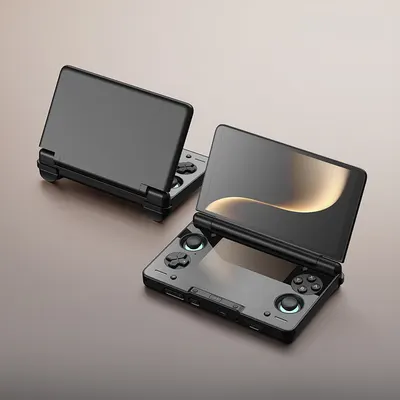
Audio & Hi-Fi
-
 Sale
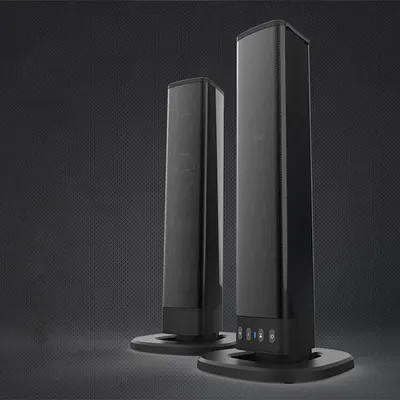
SaleBluetooth Speaker with TV Sound Blaster & Card Combo Feature
Regular price From $57.00Regular priceSale priceFrom $57.00 -
 Sale
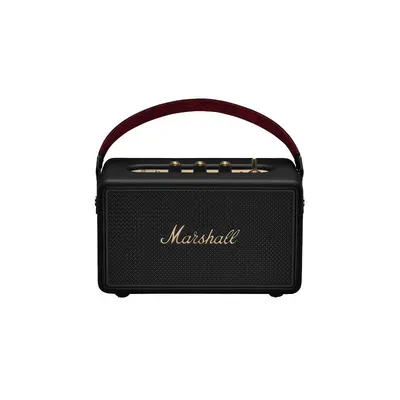
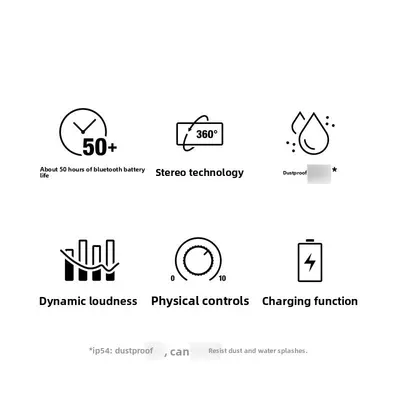
SaleMarshall Kilburn III Premium Portable Bluetooth Speaker
Regular price $615.83Regular price$1,342.67Sale price$615.83 -
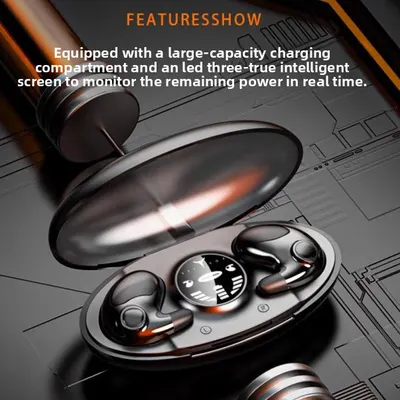
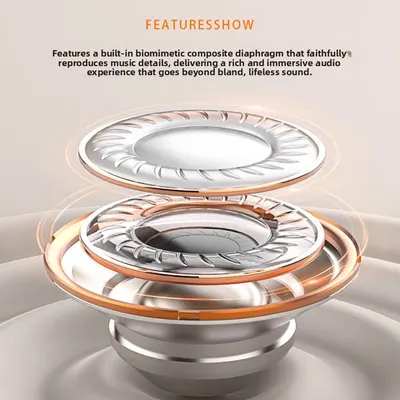
Wireless Sleep Bluetooth Earphones for Side Sleeping
Regular price $759.69Regular priceSale price$759.69 -
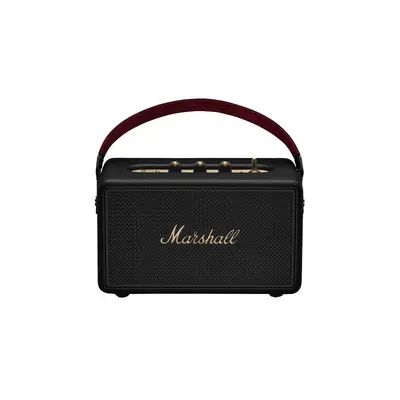
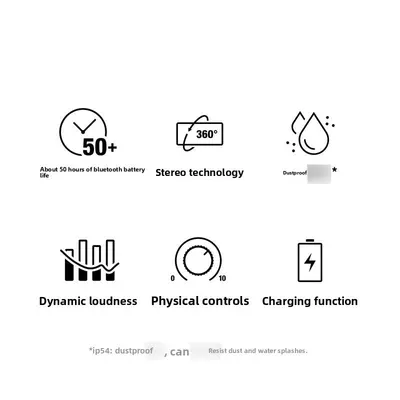
Portable Wireless Bluetooth Speaker with High Fidelity Sound
Regular price $868.06Regular priceSale price$868.06
No products match these filters. Remove all
Audio & Hi-Fi products bring music, movies, podcasts, gaming, and everyday entertainment to life with clearer sound and a more immersive listening experience. From wireless speakers and headphones to amplifiers, turntables, sound systems, and audio accessories, the right equipment can make home entertainment more enjoyable and convenient.
Whether you are building a simple bedroom setup, upgrading a living room, creating a desktop audio station, or improving your home theater, Hi-Fi & Audio products are available for different spaces, listening habits, and budgets.
What Is Audio & Hi-Fi?
Audio & Hi-Fi refers to equipment designed to reproduce sound for music, entertainment, communication, and media playback. Hi-Fi, short for high fidelity, generally describes audio equipment made to deliver clear and detailed sound with minimal unwanted distortion.
Why Audio Quality Matters
Good audio equipment can help:
- Make music sound clearer and more detailed
- Improve dialogue while watching movies and shows
- Create a more immersive gaming experience
- Make podcasts and spoken content easier to hear
- Support home entertainment and personal listening
- Improve sound across different rooms and devices
Main Types of Audio & Hi-Fi Products
| Product Type | Main Purpose | Common Uses |
|---|---|---|
| Speakers | Play sound into a room | Music, TV, entertainment |
| Headphones | Personal listening | Music, travel, gaming |
| Earphones | Compact personal audio | Commuting, workouts |
| Amplifiers | Increase and control audio signals | Hi-Fi systems, speakers |
| Turntables | Play vinyl records | Home music listening |
| Soundbars | Improve TV audio | Movies and television |
| Audio Receivers | Connect multiple audio sources | Home entertainment |
| Audio Accessories | Support setup and connectivity | Cables, adapters, stands |
Choose Equipment Around Your Listening Style
A compact Bluetooth speaker may be ideal for casual listening, while a dedicated amplifier and speaker setup may suit someone building a more detailed home audio system.
Hi-Fi & Audio for Everyday Entertainment
Hi-Fi & Audio equipment can be used throughout the home for music, movies, gaming, work, and relaxation.
Popular Audio Areas
Common setups include:
- Living rooms
- Bedrooms
- Home offices
- Gaming rooms
- Home theaters
- Kitchens
- Outdoor spaces
- Desktop workstations
Audio Setup Guide
| Space | Main Need | Useful Audio Equipment |
| Living Room | Music and TV | Speakers, soundbar, receiver |
| Bedroom | Personal listening | Headphones, compact speaker |
| Home Office | Calls and music | Desktop speakers, headset |
| Gaming Room | Immersive sound | Gaming headset, speakers |
| Home Theater | Movie audio | Soundbar, surround speakers |
| Kitchen | Casual listening | Bluetooth speaker |
| Outdoor Area | Portable sound | Wireless outdoor speaker |
Think About the Room First
Room size, furniture, background noise, and listening distance all influence which audio products are most suitable.
Speakers for Home Audio
Speakers are one of the most important parts of an Audio & Hi-Fi setup because they turn electrical audio signals into sound you can hear.
Popular Types of Speakers
Common options include:
- Bookshelf speakers
- Floor-standing speakers
- Bluetooth speakers
- Smart speakers
- Computer speakers
- Outdoor speakers
- Portable wireless speakers
- Surround sound speakers
Speaker Comparison Guide
| Speaker Type | Best For | Main Advantage |
| Bookshelf | Small to medium rooms | Compact and balanced |
| Floor-Standing | Larger rooms | Fuller room-filling sound |
| Bluetooth | Everyday use | Wireless convenience |
| Smart Speaker | Connected homes | Voice and app features |
| Computer Speaker | Desktops | Compact setup |
| Outdoor Speaker | Patios and gardens | Outdoor-friendly design |
Match Speaker Size to the Space
Larger speakers are not automatically better for every room. Compact speakers can work very well in bedrooms, offices, and smaller living areas.
Bluetooth Speakers for Flexible Listening
Bluetooth speakers provide wireless audio from smartphones, tablets, laptops, and compatible devices.
Benefits of Bluetooth Speakers
Depending on the model, they can offer:
- Wireless music playback
- Portable designs
- Rechargeable batteries
- Compact sizes
- Easy device pairing
- Outdoor-friendly options
- Built-in controls
Bluetooth Speaker Use Guide
| Use Case | Helpful Feature |
| Bedroom | Compact size |
| Travel | Rechargeable battery |
| Outdoor Use | Water-resistant design |
| Kitchen | Easy controls |
| Parties | Higher volume output |
| Desk | Small footprint |
Check Bluetooth Compatibility
Review Bluetooth version, supported devices, battery life, and charging method before purchasing.
Headphones for Personal Listening
Headphones provide a private listening experience for music, calls, gaming, travel, and entertainment.
Common Headphone Styles
Popular types include:
- Over-ear headphones
- On-ear headphones
- Wireless headphones
- Noise-reducing headphones
- Gaming headsets
- Studio-style headphones
Headphone Comparison
| Style | Best For | Main Benefit |
| Over-Ear | Long listening sessions | Comfortable coverage |
| On-Ear | Everyday portable use | Lightweight design |
| Wireless | Travel and commuting | Cable-free convenience |
| Gaming Headset | Gaming and chat | Built-in microphone |
| Studio Style | Detailed listening | Balanced sound focus |
Comfort Matters for Longer Use
Headband pressure, ear cushion material, weight, and adjustability can make a big difference during extended listening sessions.
Earphones and Wireless Earbuds
Earphones and wireless earbuds offer compact audio for commuting, workouts, calls, and daily use.
Common Features
Depending on the product, features may include:
- Bluetooth connectivity
- Built-in microphones
- Touch controls
- Charging cases
- Noise reduction
- Sweat resistance
- Voice assistant support
Earbud Buying Guide
| Feature | Why It Matters |
| Fit | Helps keep earbuds secure |
| Battery Life | Supports longer use |
| Microphone | Useful for calls |
| Charging Case | Extends portable use |
| Water Resistance | Useful for workouts |
| Touch Controls | Makes operation easier |
Choose a Comfortable Fit
Ear shape varies from person to person, so adjustable ear tips or ergonomic designs can improve comfort and stability.
Soundbars for TV and Movies
Soundbars are designed to improve television audio without requiring a large multi-speaker setup.
Why Choose a Soundbar?
Soundbars can provide:
- Clearer TV dialogue
- Wider sound than built-in TV speakers
- Simple installation
- Compact placement
- Bluetooth support on selected models
- Optional subwoofer compatibility
Soundbar Guide
| Setup | Best For |
| Basic Soundbar | Everyday TV viewing |
| Soundbar with Subwoofer | Movies and music |
| Multi-Channel Soundbar | Immersive entertainment |
| Compact Soundbar | Bedrooms and small rooms |
Measure Before Buying
Check the width of your TV stand, available wall space, and connection options before choosing a soundbar.
Home Theater Audio
Home theater audio is designed to create a more immersive movie, gaming, and entertainment experience.
Common Home Theater Components
A setup may include:
- Front speakers
- Center speaker
- Surround speakers
- Subwoofer
- AV receiver
- Soundbar
- Streaming device
Home Theater Audio Guide
| Component | Purpose |
| Center Speaker | Dialogue |
| Front Speakers | Main soundstage |
| Surround Speakers | Directional effects |
| Subwoofer | Low-frequency bass |
| Receiver | Controls and distributes audio |
Start Simple and Expand
A soundbar can be a practical starting point, while larger rooms may benefit from a multi-speaker system.
Amplifiers and Audio Receivers
Amplifiers and receivers help power speakers and control audio from different sources.
What an Amplifier Does
An amplifier increases the strength of an audio signal so connected speakers can produce sound effectively.
What an Audio Receiver Does
A receiver may combine amplification with:
- Multiple audio inputs
- HDMI connections
- Bluetooth
- Radio functions
- Speaker management
- Home theater control
Amplifier and Receiver Comparison
| Product | Main Purpose | Best For |
| Stereo Amplifier | Powers stereo speakers | Music-focused setups |
| AV Receiver | Controls multiple media sources | Home theaters |
| Mini Amplifier | Compact speaker power | Desktops and small rooms |
| Integrated Amplifier | Combines controls and amplification | Hi-Fi systems |
Check Speaker Compatibility
Review impedance, power ratings, available inputs, and connector types before pairing an amplifier with speakers.
Turntables and Vinyl Audio
Turntables allow listeners to play vinyl records and enjoy physical music collections.
Popular Turntable Features
Depending on the model, you may find:
- Belt-drive or direct-drive systems
- Built-in speakers
- Bluetooth output
- USB recording
- Adjustable tonearms
- Replaceable cartridges
Turntable Buying Guide
| Feature | Best For |
| Built-In Speakers | Simple beginner setup |
| Bluetooth Output | Wireless speaker connection |
| USB Support | Digital recording |
| Adjustable Tonearm | More customized playback |
| Replaceable Cartridge | Future upgrades |
Keep the Turntable Level
A stable, flat surface can help improve consistent record playback and reduce unwanted vibration.
Hi-Fi Systems for Dedicated Music Listening
A Hi-Fi system usually combines multiple components to create a more detailed and controlled music-listening setup.
Common Hi-Fi Components
A system may include:
- Stereo amplifier
- Bookshelf or floor-standing speakers
- Turntable
- CD player
- Digital streamer
- DAC
- Audio cables
Basic Hi-Fi Setup
| Component | Role |
| Music Source | Provides the audio |
| Amplifier | Powers the signal |
| Speakers | Produce the sound |
| Cables | Connect the system |
Build Around Your Main Music Source
Someone who mainly streams music may need a different setup from someone who listens primarily to vinyl records or CDs.
Desktop Audio & Hi-Fi
Desktop audio is useful for music, video calls, gaming, editing, and everyday computer use.
Popular Desktop Audio Products
Consider:
- Compact speakers
- USB speakers
- Headphones
- Headsets
- Mini amplifiers
- DACs
- Desktop microphones
Desktop Audio Guide
| Need | Useful Product |
| Music | Compact stereo speakers |
| Gaming | Headset or desktop speakers |
| Calls | Headset with microphone |
| Editing | Detailed headphones |
| Small Desk | Compact USB speakers |
Keep the Setup Uncluttered
Compact speakers and cable management can help preserve desk space while maintaining a practical listening setup.
Gaming Audio
Good gaming audio helps make dialogue, music, and in-game effects easier to hear.
Gaming Audio Options
Common choices include:
- Gaming headsets
- Desktop speakers
- Soundbars
- Wireless headphones
Gaming Headset Features
Look for:
- Comfortable ear cushions
- Adjustable headband
- Clear microphone
- Volume controls
- Wired or wireless connection
- Compatibility with your gaming platform
Gaming Audio Comparison
| Option | Best For |
| Headset | Private gaming and voice chat |
| Speakers | Room-based gaming |
| Soundbar | Console gaming with TV |
| Wireless Headphones | Flexible movement |
Check Platform Compatibility
Not every headset or wireless device works with every console, computer, or mobile device.
Audio for Work and Video Calls
Audio equipment can also improve communication during remote work, online classes, and video meetings.
Useful Work Audio Products
Consider:
- Headsets
- USB microphones
- Desktop speakers
- Wireless earbuds
- Speakerphones
Work Audio Guide
| Task | Recommended Audio |
| Video Calls | Headset or speakerphone |
| Focused Work | Headphones |
| Presentations | Speakers |
| Mobile Calls | Wireless earbuds |
| Recording | USB microphone |
Prioritize Microphone Clarity
For frequent calls, microphone quality may matter just as much as music performance.
Portable Audio
Portable audio products make it easier to enjoy music and entertainment while traveling or moving between rooms.
Portable Audio Options
Popular products include:
- Bluetooth speakers
- Wireless headphones
- Wireless earbuds
- Portable media players
- Compact radios
Useful Portable Features
Look for:
- Rechargeable battery
- Lightweight construction
- USB charging
- Protective cases
- Water resistance
- Easy wireless pairing
Wired vs Wireless Audio
Both wired and wireless audio have advantages depending on how the equipment will be used.
Wired Audio
Wired connections can offer:
- Stable connections
- No battery charging
- Simple compatibility with many traditional devices
Wireless Audio
Wireless connections can offer:
- Less cable clutter
- Greater mobility
- Easy phone and tablet pairing
Wired vs Wireless Comparison
| Feature | Wired Audio | Wireless Audio |
| Mobility | Limited | High |
| Charging | Usually not needed | Often required |
| Cable Clutter | More | Less |
| Setup | Direct connection | Pairing required |
| Best For | Fixed setups | Portable use |
Audio Connectivity Options
Modern Audio & Hi-Fi products may use several connection types.
Common Connections
These include:
- Bluetooth
- AUX
- USB
- HDMI
- Optical audio
- RCA
- Wi-Fi
Connectivity Guide
| Connection | Common Use |
| Bluetooth | Wireless phones and speakers |
| AUX | Simple wired audio |
| USB | Computers and charging |
| HDMI | TVs and home theater |
| Optical | TV audio |
| RCA | Traditional Hi-Fi components |
| Wi-Fi | Smart and multi-room audio |
Check Your Existing Devices
Before buying, confirm which ports and wireless technologies your phone, television, computer, or audio equipment supports.
Smart Audio for Connected Homes
Smart audio products can integrate with compatible apps and connected-home systems.
Possible Smart Features
Depending on the product, you may find:
- Voice control
- App control
- Multi-room audio
- Music streaming
- Scheduling
- Wireless pairing
Smart Audio Guide
| Feature | Use |
| Voice Control | Hands-free commands |
| Multi-Room Audio | Plays sound in several rooms |
| App Control | Adjusts settings remotely |
| Streaming | Accesses online music services |
| Grouping | Links compatible speakers |
Check Ecosystem Compatibility
Make sure smart speakers and connected audio devices work with the apps or systems already used in your home.
Audio Accessories
Accessories can improve connectivity, organization, and everyday use.
Popular Audio Accessories
Examples include:
- Audio cables
- Adapters
- Speaker stands
- Headphone stands
- Cases
- Replacement ear cushions
- Charging cables
- Mounting brackets
Audio Accessory Guide
| Accessory | Purpose |
| Audio Cable | Connects devices |
| Adapter | Converts connector types |
| Speaker Stand | Positions speakers |
| Headphone Stand | Stores headphones |
| Case | Protects portable equipment |
| Mount | Secures speakers or soundbars |
Match the Connector Type
Check plug size, cable length, input type, and device compatibility before ordering accessories.
How to Choose Audio & Hi-Fi Online
Shopping online is easier when you compare both sound-related features and practical specifications.
What to Check Before Buying
Review:
- Product dimensions
- Connection type
- Power requirements
- Battery life
- Speaker output
- Device compatibility
- Wireless range
- Included accessories
- Mounting or placement requirements
Audio Buying Checklist
| Detail | Why It Matters |
| Compatibility | Ensures devices connect properly |
| Size | Fits the intended space |
| Connectivity | Matches phones, TVs, or computers |
| Power Source | Determines charging or outlet needs |
| Battery Life | Important for portable products |
| Controls | Affects everyday usability |
| Included Accessories | Helps avoid extra purchases |
Focus on How You Will Use It
Choose features based on your actual listening habits rather than simply selecting the product with the longest specification list.
Building a Balanced Hi-Fi & Audio Setup
A balanced Hi-Fi & Audio setup brings together the right source, amplification, speakers, and accessories for your space.
Simple Audio Setup Approach
- Choose your main music or media source.
- Select speakers or headphones suited to the space.
- Add amplification if required.
- Confirm cable and wireless compatibility.
- Position equipment for comfortable listening.
Audio Setup Guide
| Setup Type | Suggested Components |
| Simple Bedroom | Bluetooth speaker or headphones |
| Desktop | Compact speakers or headset |
| Living Room | Speakers or soundbar |
| Home Theater | Receiver, speakers, subwoofer |
| Dedicated Hi-Fi | Amplifier, speakers, music source |
Upgrade Gradually
You do not need to build an entire audio system at once. Starting with the components you use most can make future upgrades easier.
Caring for Audio & Hi-Fi Equipment
Simple maintenance can help audio equipment stay clean and perform reliably.
General Care Tips
- Keep speakers and electronics free from dust
- Store headphones safely when not in use
- Avoid pulling cables by the connector
- Keep equipment away from excessive moisture
- Use suitable charging cables
- Follow manufacturer cleaning instructions
Keep Ventilation Areas Clear
Amplifiers, receivers, and powered speakers may generate heat, so ventilation openings should not be blocked.
FAQs - Audio & Hi-Fi
What does Audio & Hi-Fi mean?
Audio & Hi-Fi refers to equipment used for listening to music, movies, games, and other media, with Hi-Fi generally describing products designed for clearer and more accurate sound reproduction.
What equipment do I need for a basic Hi-Fi & Audio setup?
A basic setup may include a music source, amplifier if required, and a pair of speakers or headphones. The exact equipment depends on whether you listen through streaming, vinyl, TV, computer, or another source.
Are wireless speakers good for home audio?
Wireless speakers can be a convenient choice for bedrooms, living rooms, kitchens, and casual listening because they reduce cable clutter and connect easily to compatible phones, tablets, and computers.
How do I choose speakers for my room?
Consider room size, speaker dimensions, available placement space, connection options, and how loudly you normally listen. Compact speakers often work well in smaller rooms, while larger spaces may benefit from more powerful models.
What should I check before buying Audio & Hi-Fi products online?
Check device compatibility, dimensions, connection types, power requirements, battery life for portable products, included accessories, and the features you are most likely to use. This helps ensure the product fits both your space and listening needs.
- Choosing a selection results in a full page refresh.
- Opens in a new window.

Global Swanky
1 × $0.00 · Free US shipping
$0.00
- 1 Payment
- 2 Shipping
- 3 Done
Checkout is temporarily unavailable.
Please try again in a moment, or email support@globalswanky.com and we will help you order.
Secured by Stripe. Card details go straight to Stripe, never to our servers.
Order confirmed
Thank you. A confirmation is on its way to .
- Order number
- Total paid
- Paid with
- Delivery
- Dispatched within 24 hours, 3–7 business days